
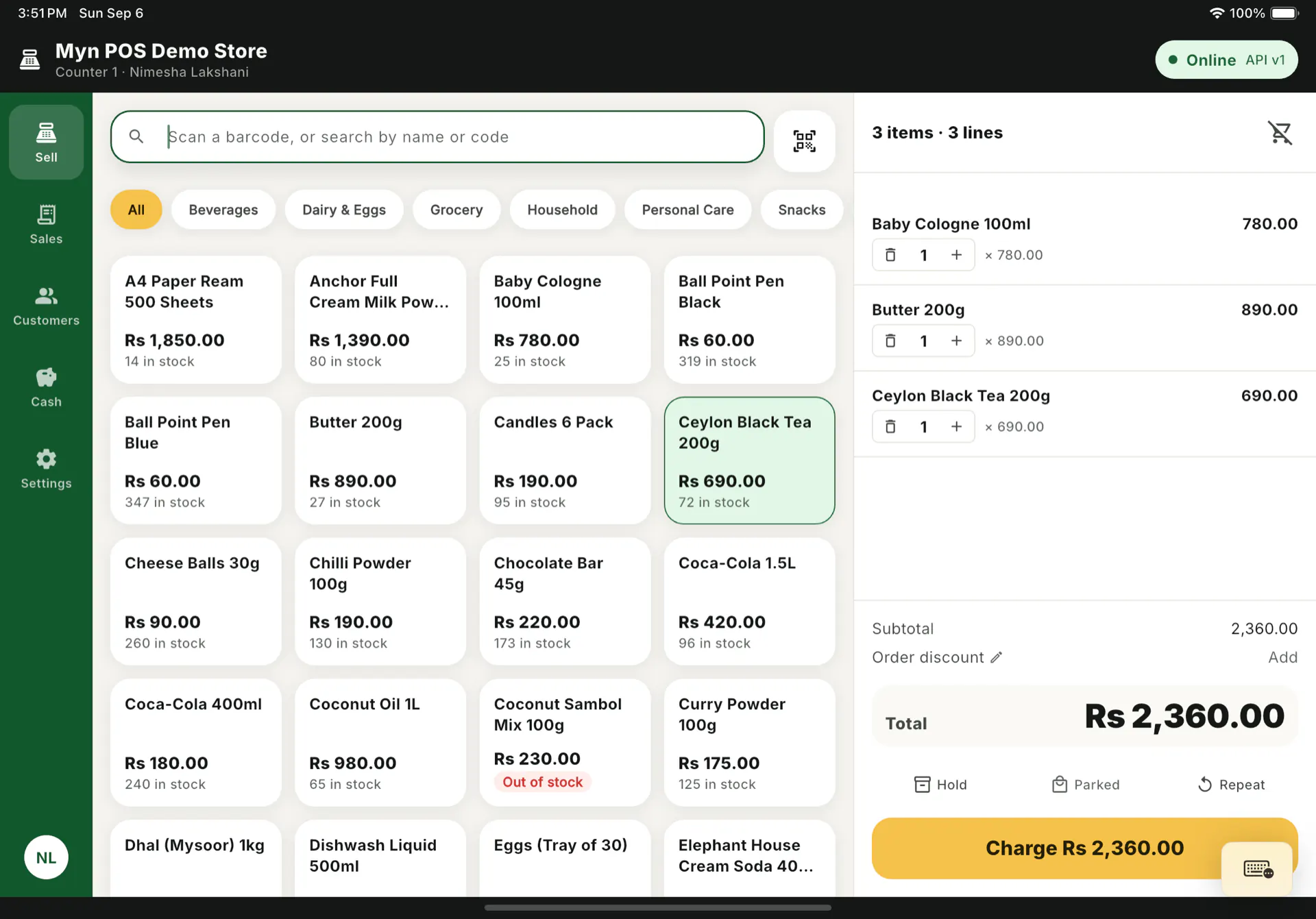
Every screen on this page is captured from a demo register. The shop, the cashier and the customer details in them are seeded test data, not real accounts.
What it is
MYN POS is the counter half of MYN. The invoicing side of the product already holds your items, prices, stock and customers; the till reads from that, rings a sale in a few taps, and posts the result straight back into it.
So there is no second set of books to reconcile at the end of the day. A sale rung at the counter is a MYN invoice, and it turns up in the same dashboard, the same reports and the same customer history as an invoice you typed by hand.
One sale, start to finish
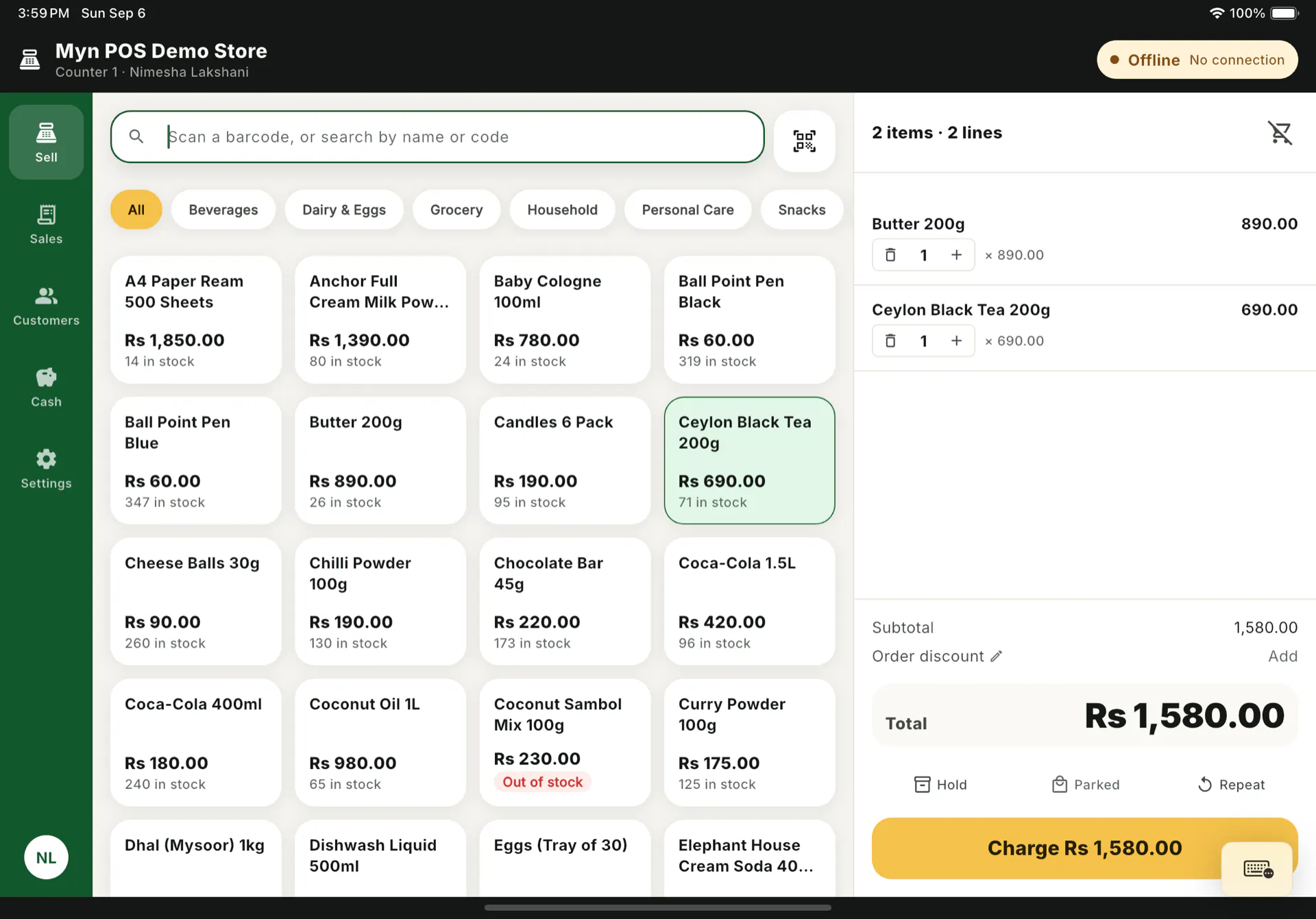
Scan a barcode with the camera or a USB scanner, or search by name or code. Adjust quantities, take a rupee off a line or off the whole order, hold a sale and start another while someone goes back for a forgotten item, or repeat a regular's last basket.
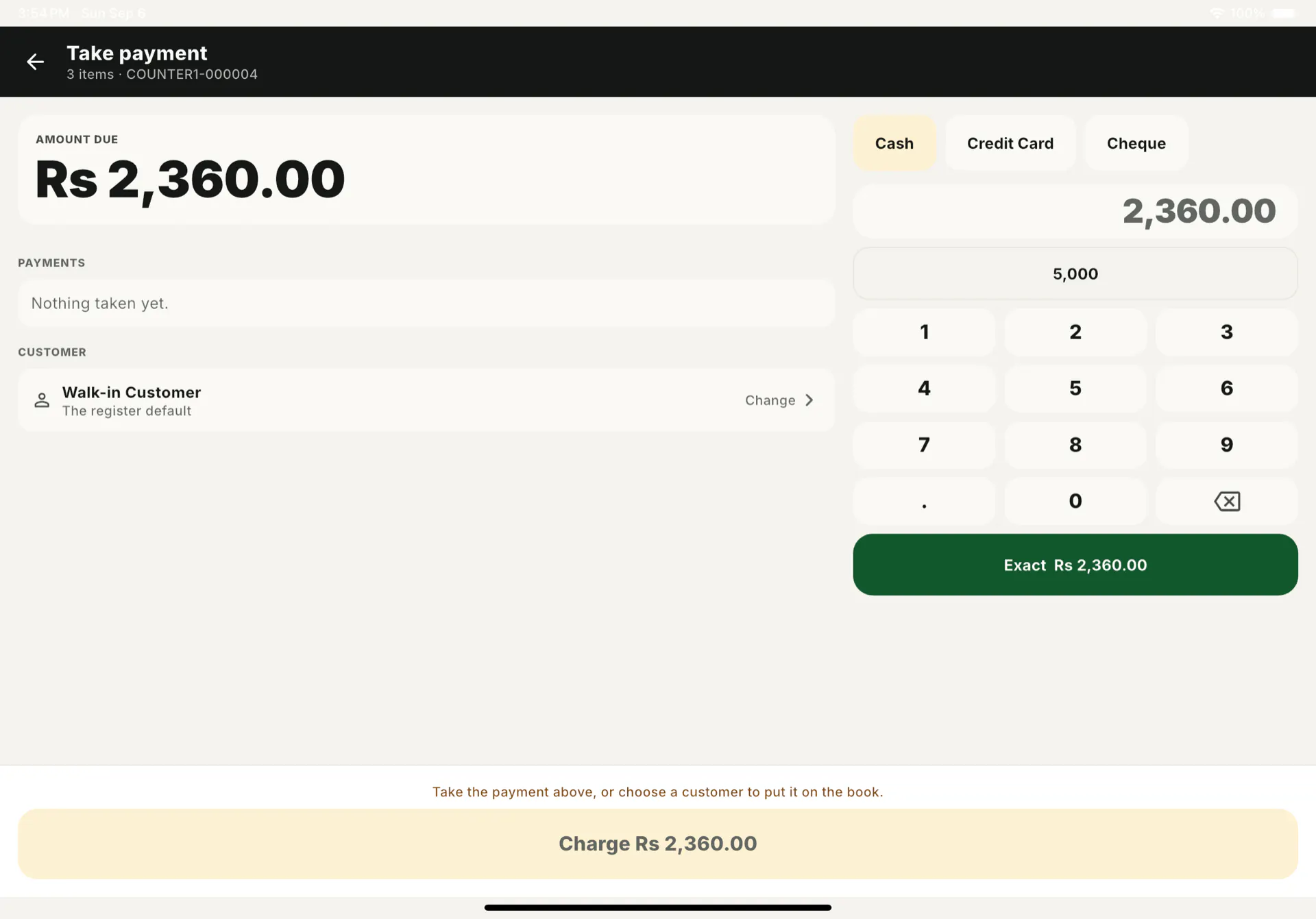
Then take the money: cash, card or cheque, and more than one of them on the same sale if that is how it is being settled. Or put it on a customer and leave it on the book.
The same documents as the rest of MYN
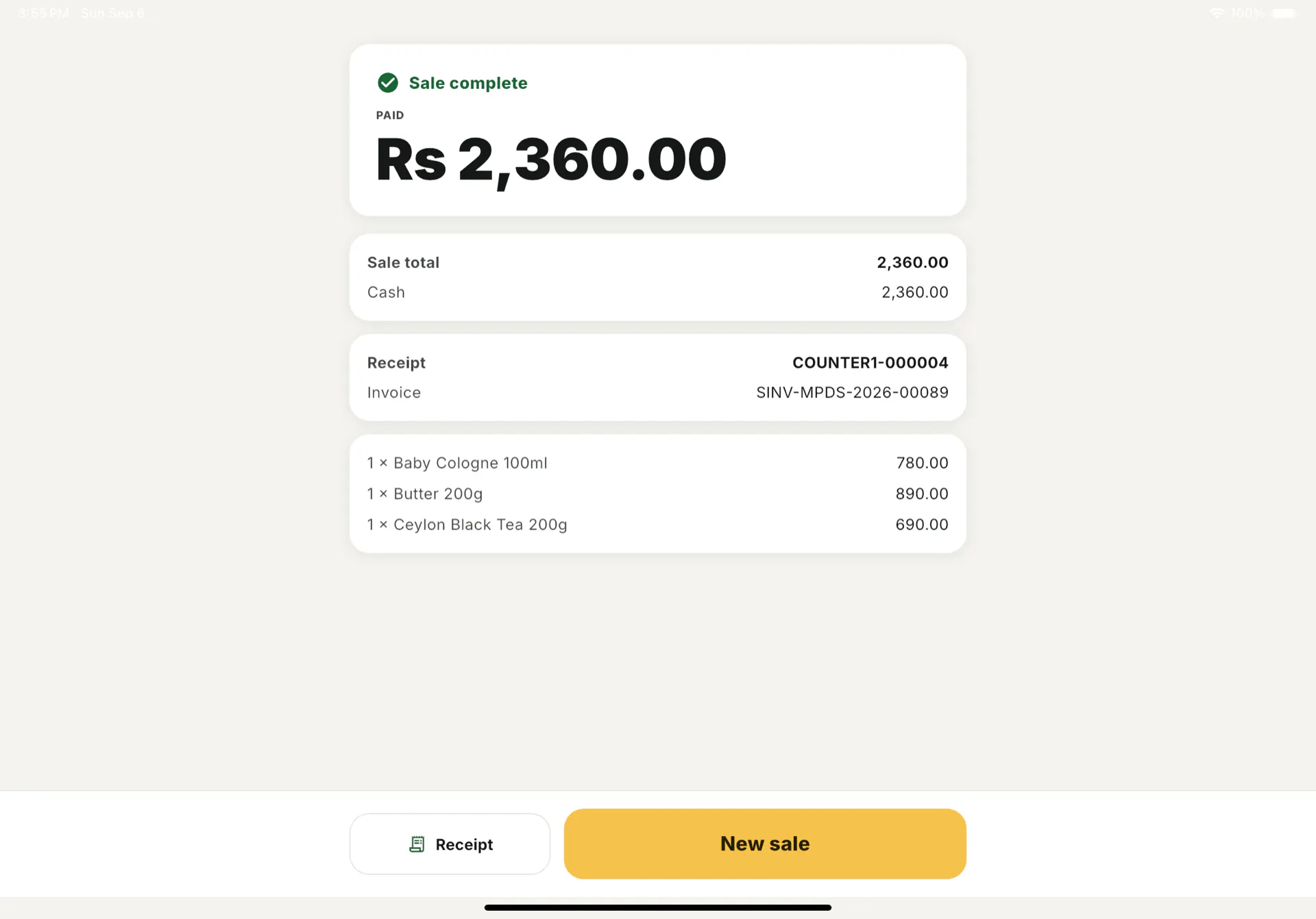
A sale posts a Sales Invoice that moves stock, plus one payment record for each tender taken. It is deliberately not a separate point-of-sale document type sitting off to one side.
That one decision is why the till needs no reconciliation step. Every dashboard, report and customer screen in MYN carries on reading the records it already read, and a sale put on the book is the same unpaid invoice MYN has always tracked. It lands in receivables next to everything else.
The receipt
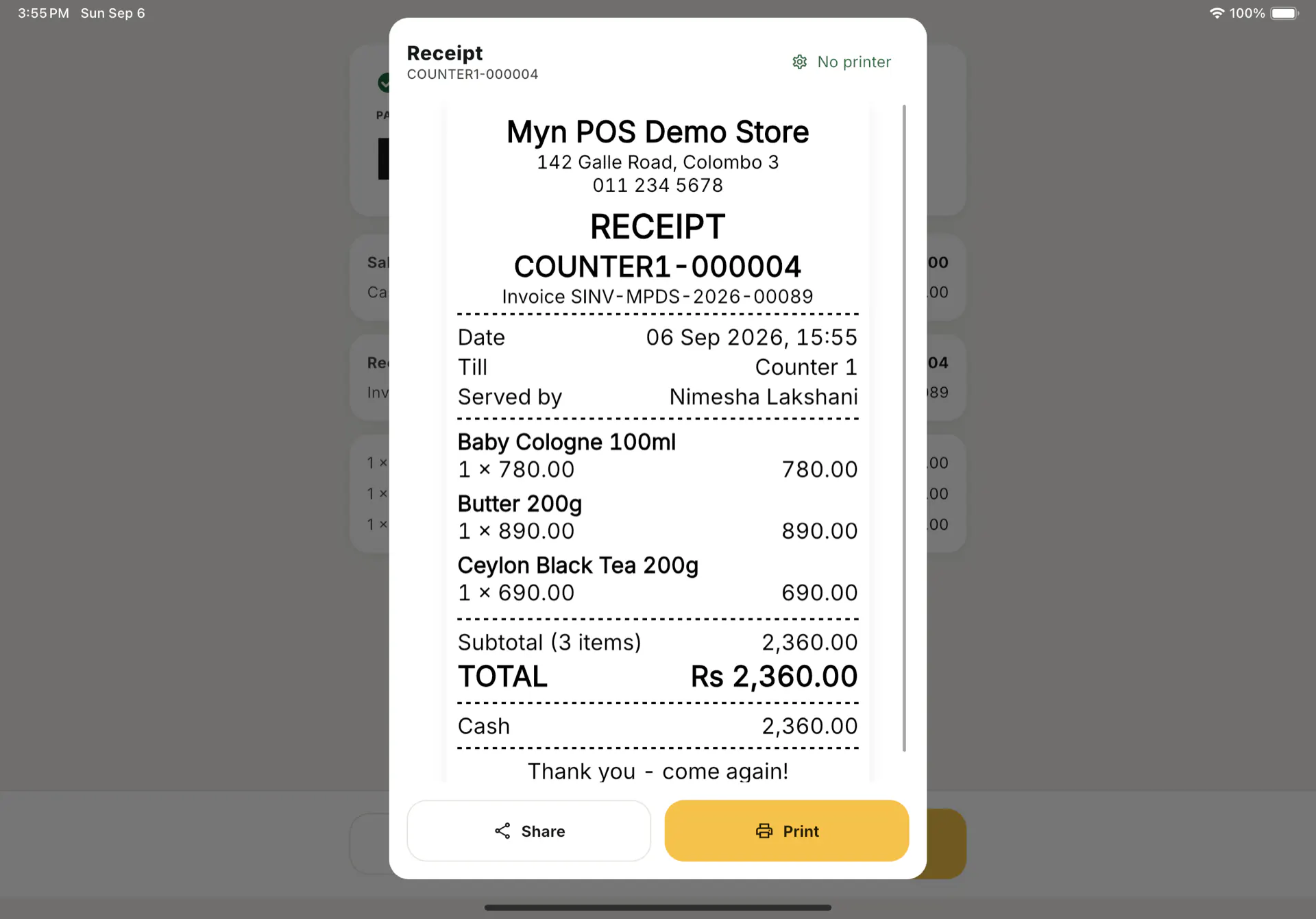
The till prints a 58mm or 80mm thermal slip. It can also be shared straight off the sale, which here mostly means WhatsApp. That is how a receipt actually reaches a customer.
Offline is the architecture, not a feature
Power cuts and dead links are ordinary here, so the till never treats the network as a precondition for selling.
- Items, prices, stock and customers are served from a cache on the device and refreshed in the background.
- Sales, returns, payments, cash movements and shift open and close are written to a durable queue on the device first, then drained when a connection comes back. The screen never waits on a server to finish a sale.
- Every write carries its own idempotency key, so a retry after a timeout cannot post the same sale twice.
- The receipt carries an offline number the device generated. The MYN invoice name is attached on sync, and both stay searchable afterwards.
- A sale that cannot post, usually because stock ran out behind it, goes to a needs-attention list with the reason. It is never dropped and never silently retried forever.
The book, at the counter
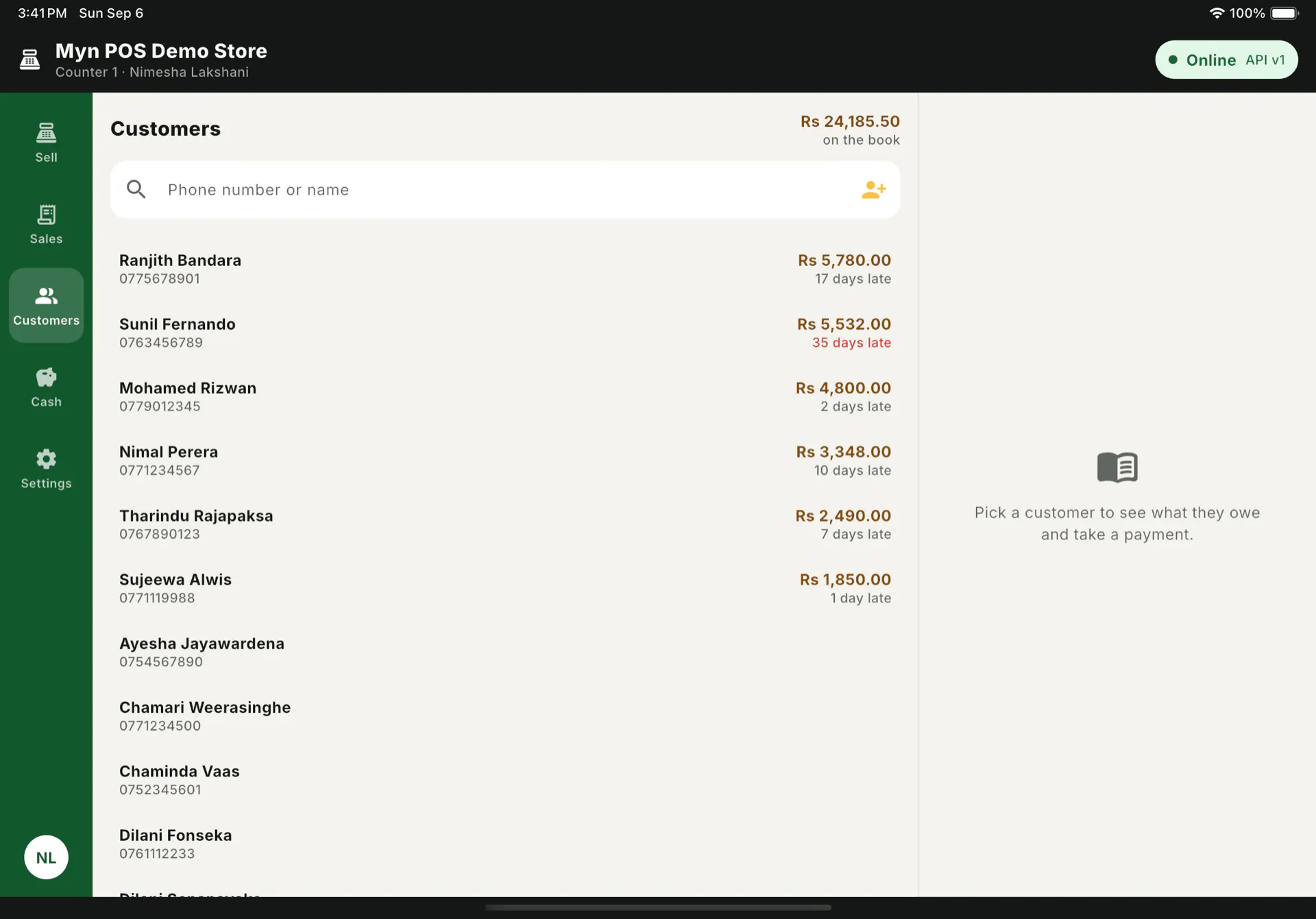
Most shops here sell on credit to people they know, and the record of it is a paper book. MYN POS treats that as a normal way to sell rather than an exception: put the sale on a customer, see what they already owe before you do it, and settle an old balance at the counter when they come in to pay.
The rest of the counter
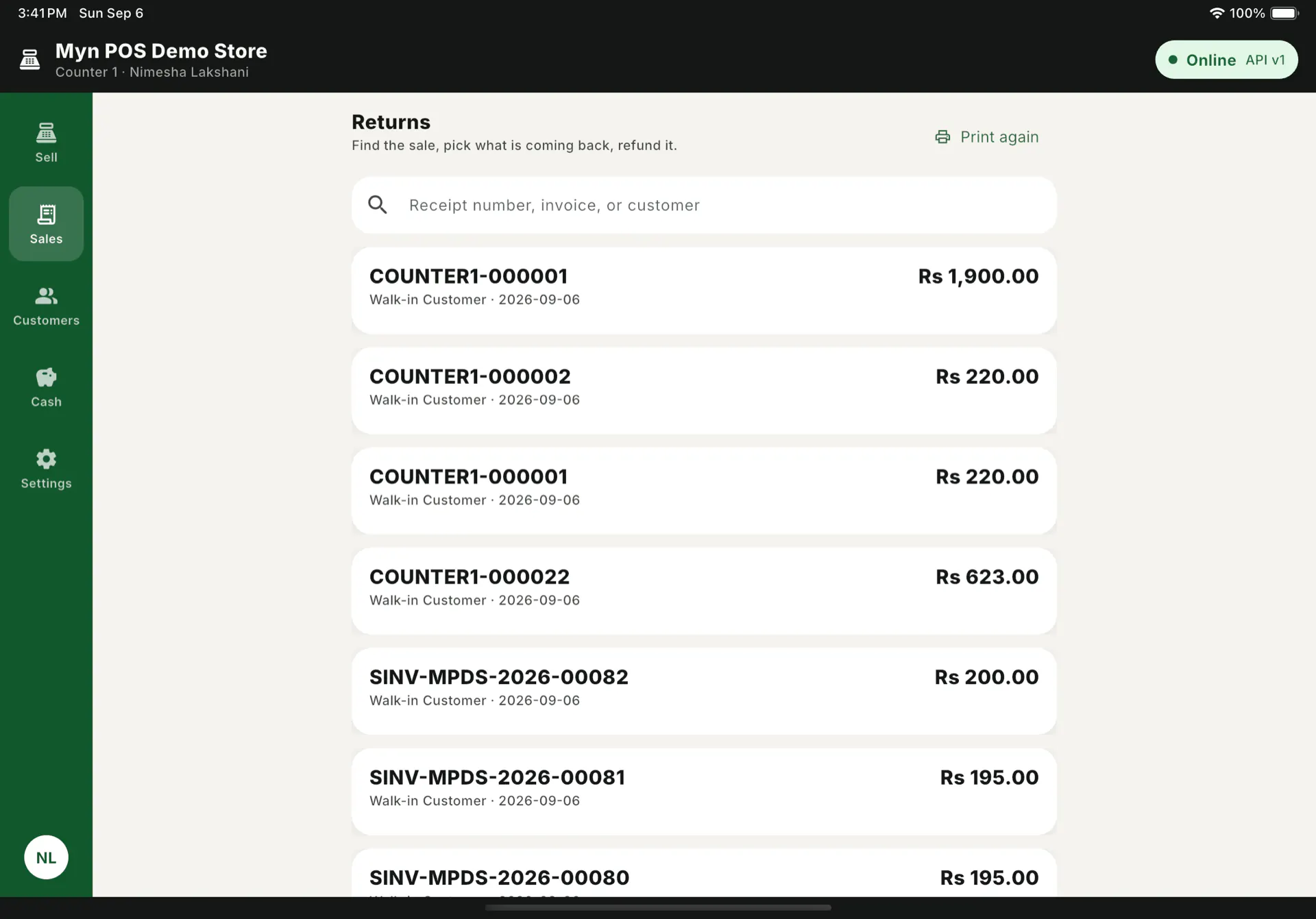
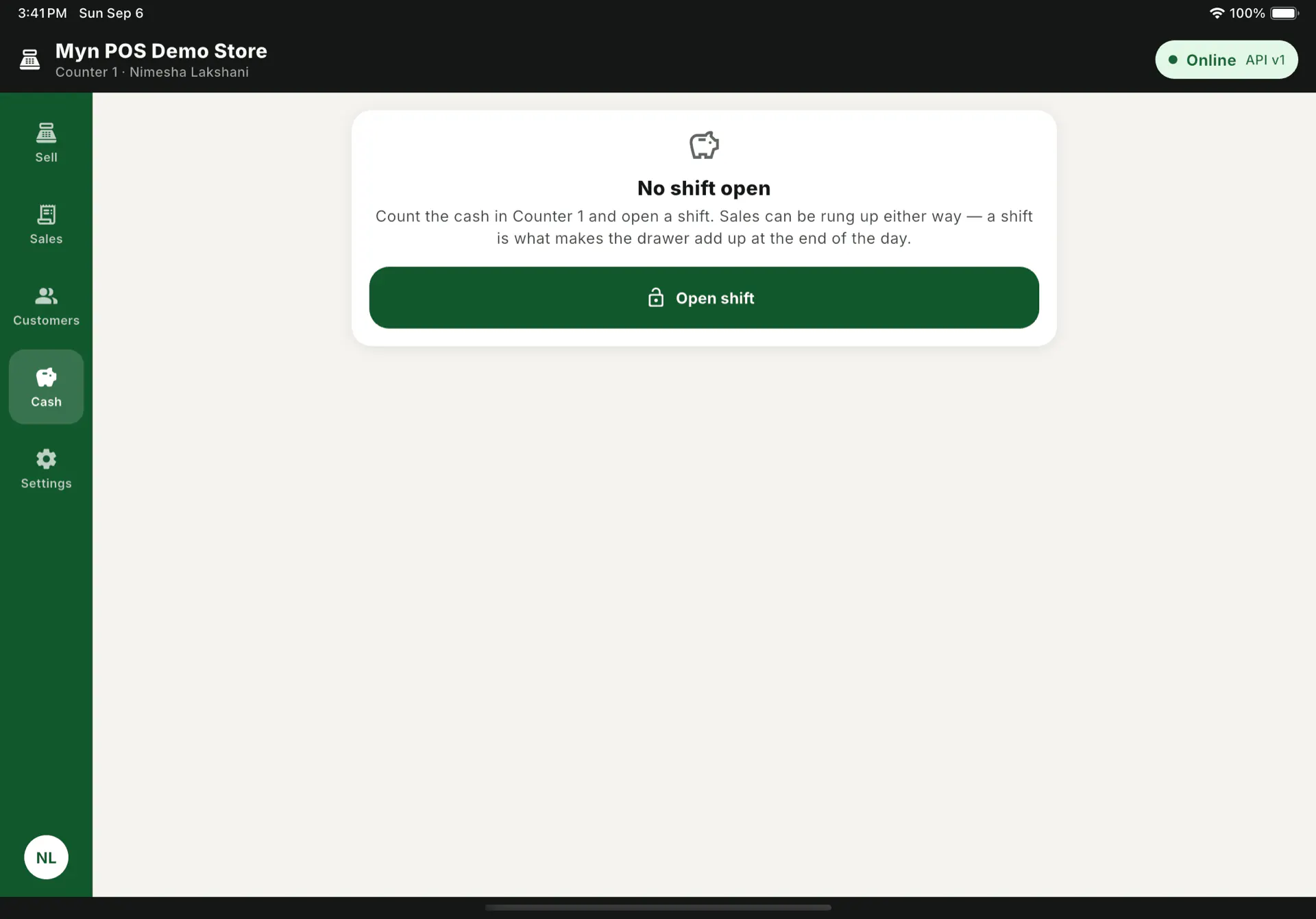
A day at a till is not only sales. Find an old one by receipt number, invoice or customer and print it again, or take back what is coming back against the original invoice. Open a shift with a counted drawer, record cash in and out, and close it against what is actually in the till at the end of the day.
What it runs on
An Android tablet at the counter, an iPad, or a browser on a counter PC with a scanner and a small set of keyboard shortcuts. All of them in landscape, because that is how a till is used. A tablet till pairs with a Bluetooth receipt printer, and an iPad till prints over the network.
Prices are in Rs. Six permission flags cover the things an owner would rather a cashier did not do alone: discounting past a cap, returns, voids, closing a shift, taking cash out, and overriding a price.